There are of course many ways to flash the chip, but if you just have the binaries and windows this is one way. Let us know if you need instructions on how to flash with idf.py or on linux.
-
Get the official seeed studio windows flash download tool HERE. Note I was using version 3.9.10
-
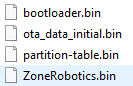
Get all your binaries ready
-
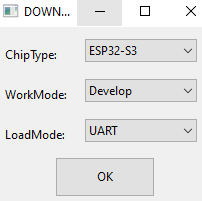
Start the flash download tool, in the first dialog set ESP32-S3
-
Make sure your ESP32-S3 sense is plugged in and shows up on a serial/com port
-
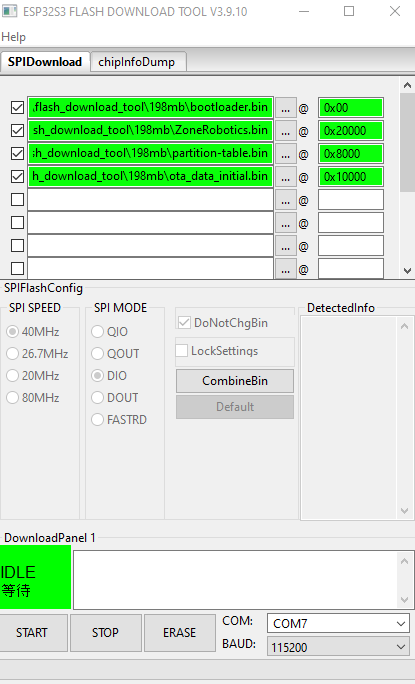
Set your settings like this, your path and com port will differ, make sure you set your com port ALSO make sure you don’t have a terminal app using the com port (very common issue).
-
Click START
-
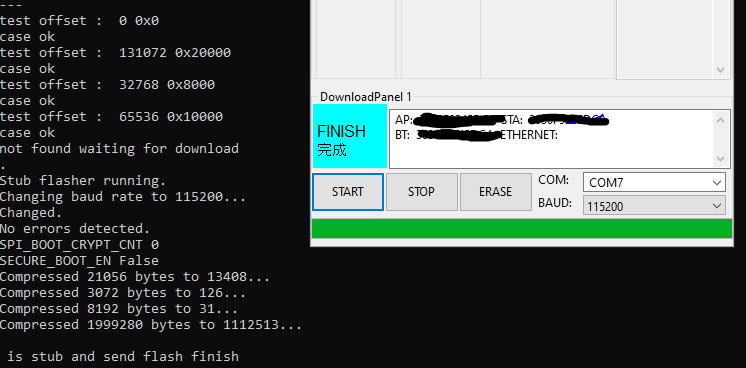
You can watch output in the console, if it finishes successfully you should see this, else you will see error